![LottoShield Logo -2.png]](https://help.lottoshield.com/hs-fs/hubfs/LottoShield%20Logo%20-2.png?height=50&name=LottoShield%20Logo%20-2.png)
LottoShield subscribers can view and download invoices and receipts for their subscriptions. This article explains how to find and download them in the LottoShield Portal.
Accessing Invoices and Receipts
- In the left navigation menu, select Settings.
- Click Billing. The Billing Settings page will open.
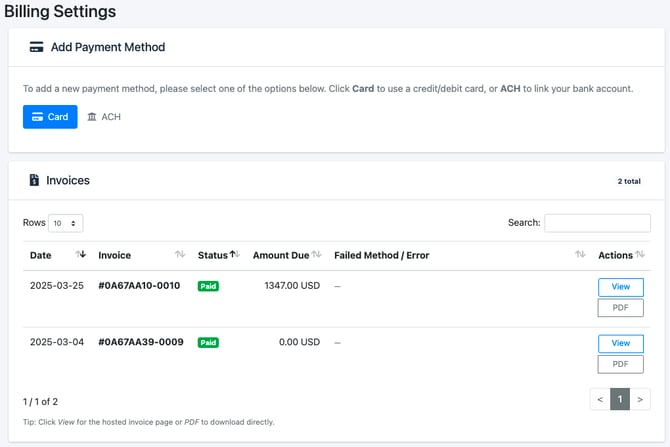
- To view invoice details, download a receipt, or access a specific invoice, click View in the corresponding invoice row. The following page will appear.
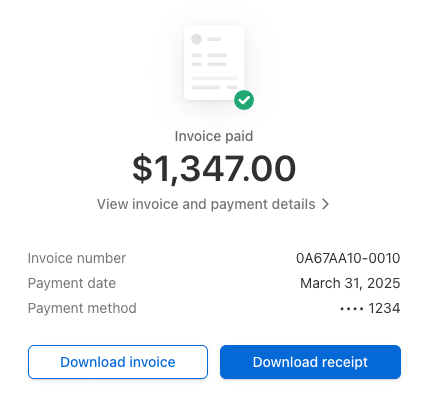
- From this page you can:
- Click View invoice and payment details to view the details of your invoice
- Download a PDF of your invoice
- Download a receipt for your payment
Examples
Invoice Details
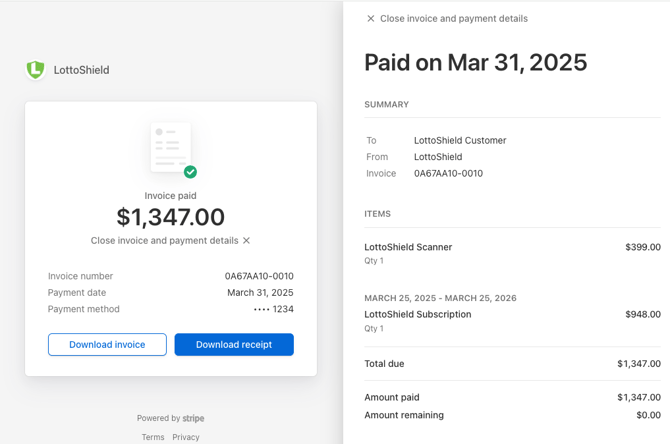
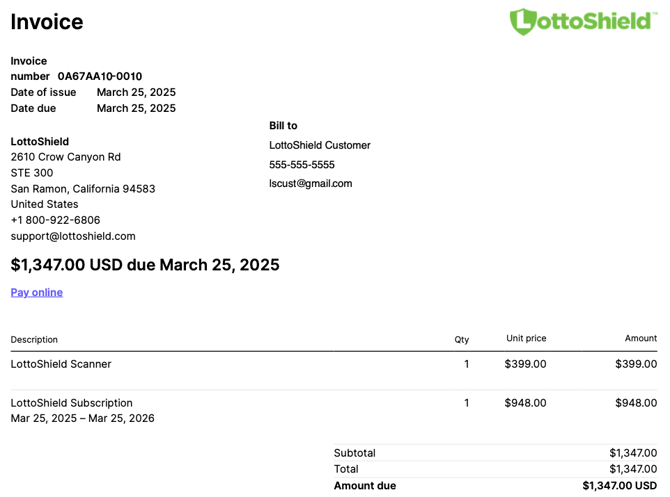
Sample Invoice
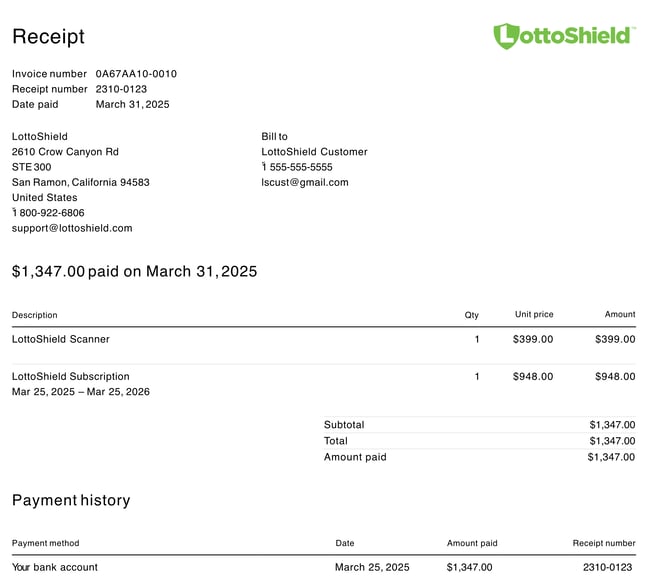
Sample Receipt