![LottoShield Logo -2.png]](https://help.lottoshield.com/hs-fs/hubfs/LottoShield%20Logo%20-2.png?height=50&name=LottoShield%20Logo%20-2.png)
LottoShield Pro Portal
The LottoShield Pro Portal is your central hub for accessing detailed information about your lottery operations.
If you manage multiple store locations, you’ll first see a summary view on the default page. Clicking into a specific location reveals detailed insights, including:
-
Audit history
-
Scratcher pack details
-
Backstock inventory
-
Missing pack alerts
-
Vending machine activity
-
And more
The portal provides multiple windows for viewing and managing your lottery data—all in one organized interface.
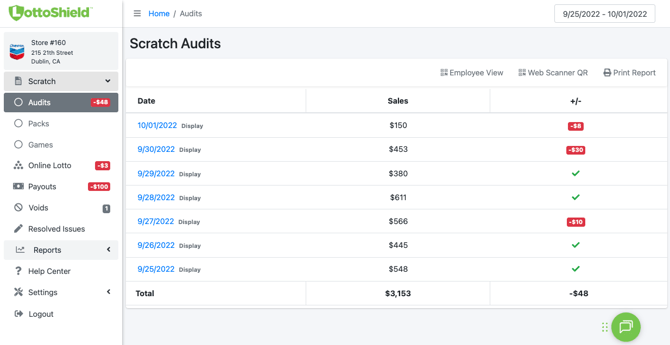
Note: When you sign in to LottoShield for the first time, your dashboard may look a bit empty. That’s perfectly normal—it will begin filling with data as LottoShield starts collecting activity from your POS and display case audits. Your dashboard will look like the example below in no time.
We cover all of these features in the Understanding the LottoShield Pro Portal section of the LottoShield Help Center.