![LottoShield Logo -2.png]](https://help.lottoshield.com/hs-fs/hubfs/LottoShield%20Logo%20-2.png?height=50&name=LottoShield%20Logo%20-2.png)
LottoShield reads information directly from the photographs you upload. To ensure your reports are processed successfully, each image must be clear, complete, and easy to read.
Note: The reports that must be uploaded vary by state and store configuration. Refer to your state-specific Help Center article for instructions on which reports are required.
Open the Camera
- Open the LottoShield Scanner or LottoShield Mobile App.
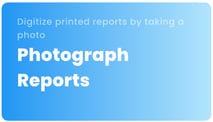
- Tap Photograph Reports.
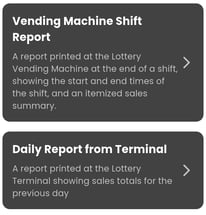
- Select the appropriate report type: Vending Machine Shift Report or Daily Report from Terminal.
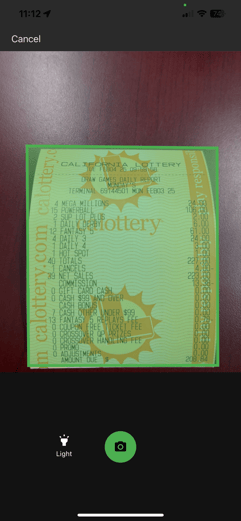
The camera will open and begin detecting the report automatically.
Hold the Scanner Correctly
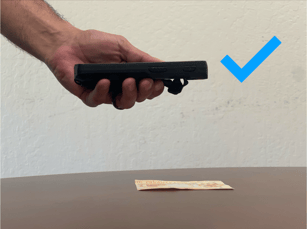
When taking a photo, hold the LottoShield Scanner or mobile device directly above the report.
Avoid photographing the report at an angle, as this can distort the image and make it difficult to process.
|
Good Example
|
Incorrect Example
|

Capture the Entire Report
When the camera opens, LottoShield will automatically detect the edges of the report.
Before taking the picture, make sure:
- All four corners of the report are detected.
- The entire report is visible.
- Nothing is cut off.
- The report is straight and not tilted.
- The image is in focus.
Review the Image
Before submitting the report, review the image carefully.
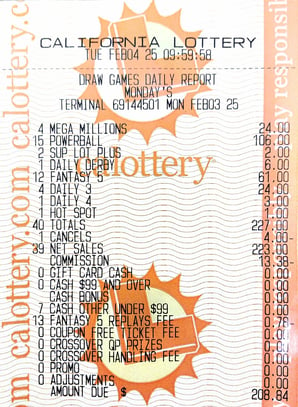
A good image should:
- Show the entire report.
- Be sharp and easy to read.
- Have little or no background visible.
- Be free of handwriting, tears, folds, or other obstructions.
If necessary, crop the image or delete it and retake the photo before submitting.
| Good Image | Poor Image |
|---|---|
 |
 |
Submit the Report
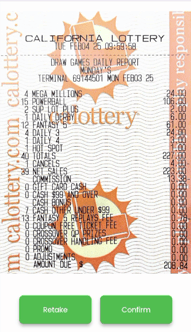
Once you've confirmed the image is clear and complete, tap Confirm to upload it.
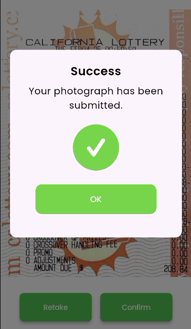
After the upload is complete, LottoShield will display a confirmation message indicating the report was successfully submitted.
 |
 |
Tips for Better Photos
- Hold the device directly above the report.
- Capture the entire report.
- Keep the report straight and in focus.
- Review every image before submitting.
- Retake any image that is blurry, tilted, or incomplete.
Note: Glare can make reports difficult to read. If you encounter glare, try shielding the report from the light source or adjusting your position before taking the picture.