![LottoShield Logo -2.png]](https://help.lottoshield.com/hs-fs/hubfs/LottoShield%20Logo%20-2.png?height=50&name=LottoShield%20Logo%20-2.png)
Upload the Daily Report from Terminal, If Required
In most states, vending machine and counter terminal lotto sales and payouts (cashes) are not separated in the daily reporting LottoShield receives from the state lottery.
When this applies, LottoShield requires a daily counter terminal report so counter activity can be separated from vending machine activity and properly reconcile against POS sales.
If your state requires this report:
- Print the prior-day report from the counter terminal.
- Open the LottoShield app.
- Tap Photograph Reports.
- Tap Daily Report from Terminal.
- Take a clear photo of the full report.
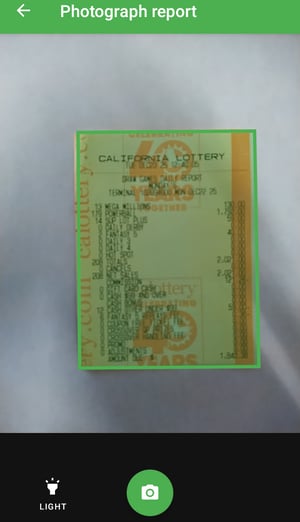
- Review the image and tap Done and the Confirm to upload the report.
Make sure the report is readable and the full report is visible in the photo. A bad slip will be rejected by the system.