![LottoShield Logo -2.png]](https://help.lottoshield.com/hs-fs/hubfs/LottoShield%20Logo%20-2.png?height=50&name=LottoShield%20Logo%20-2.png)
While the preferred methods for performing display case audits are the LottoShield PDA scanner or an Android/iOS device with the LottoShield Mobile App, LottoShield also offers a convenient alternative: the LottoShield Web App.
The Web App allows employees to perform display case audits without installing an application and without requiring a dedicated in-store device.
Employees can simply scan a location-specific QR code that opens the web version of the LottoShield application.
Because each store has its own unique QR code, it is essential to print and use the correct QR code for each location.
Accessing the Web App QR Code
To retrieve your store’s QR code:
- In the LottoShield Dashboard, click the location for which you want to access the QR code.
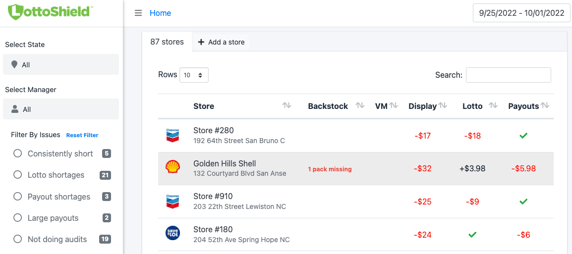
- On the Scratch Audits page, click the Web Scanner QR button in the header.
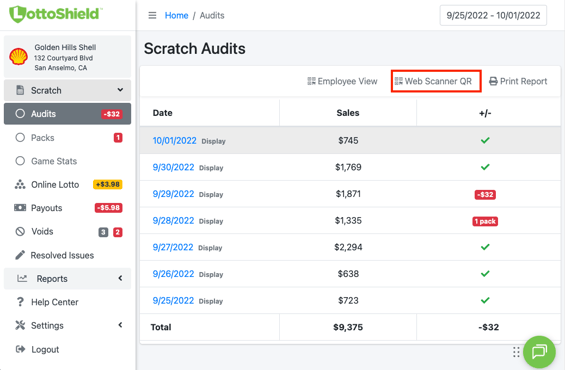
- A window will open displaying your store’s Web Scanner QR Code.
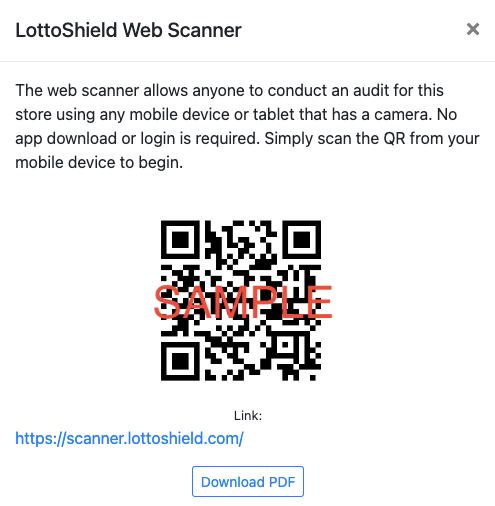
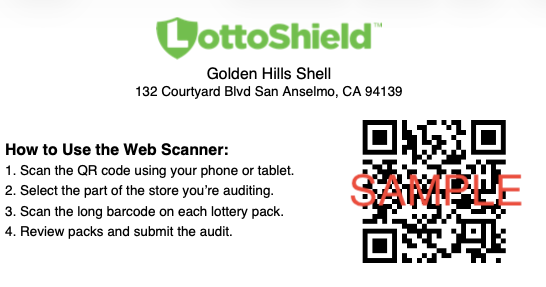
- It is best practice to print and display this QR code near your lottery display case for quick and easy access. For your convenience, LottoShield provides a printable Download PDF version of the QR code, which also includes short usage instructions.
Performing a Display Case Audit Using the Web App
|
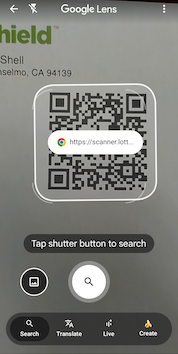
1. Using any Android or iOS device, open the Camera App and scan your store’s LottoShield QR code. (Android Shown) When your device recognizes the QR code, tap the LottoShield link that appears on the screen. Note: If your camera app does not display the link automatically, tap the Lens button to reveal the QR code link. |
 |
| The LottoShield Web App will open in your browser. | 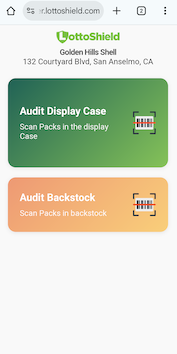 |
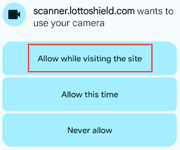
| 2. Tap Audit Display Case. If prompted, allow the browser to access your device’s camera. |
 |
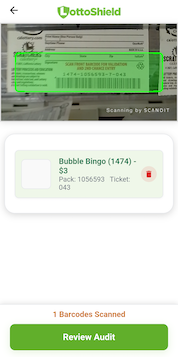
| 3. Scan the long barcode on the back of each lottery pack in the display case. |
|
|
4. When all packs have been scanned, tap Review Audit, review your counts, and then tap Submit Audit. When completed correctly, you will see this screen. |

|
Important Note
Performing partial audits will cause reconciliation errors in LottoShield.
You must always scan every pack in your display case during each audit.
Video Demonstration (iOS)