![LottoShield Logo -2.png]](https://help.lottoshield.com/hs-fs/hubfs/LottoShield%20Logo%20-2.png?height=50&name=LottoShield%20Logo%20-2.png)
If your LotteryMenu trial has ended, or you need to add LotteryMenu to another location, you must purchase a license for each applicable store. This article explains how to complete the purchase in the LottoShield Portal.
How to Purchase a LotteryMenu License
-
From the LottoShield Dashboard, select the store location where you want to add the license.
-
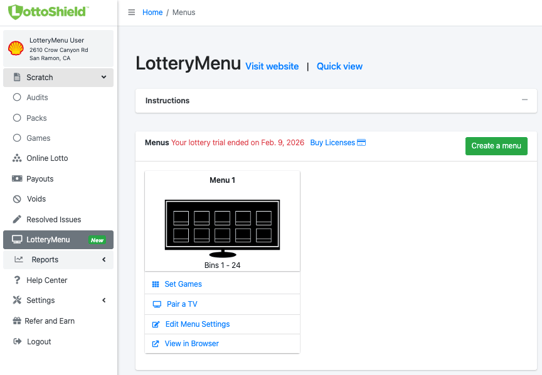
In the left navigation menu, click LotteryMenu.
If the trial has expired, the trial ended date will be displayed on the screen.
-
Click Buy Licenses.
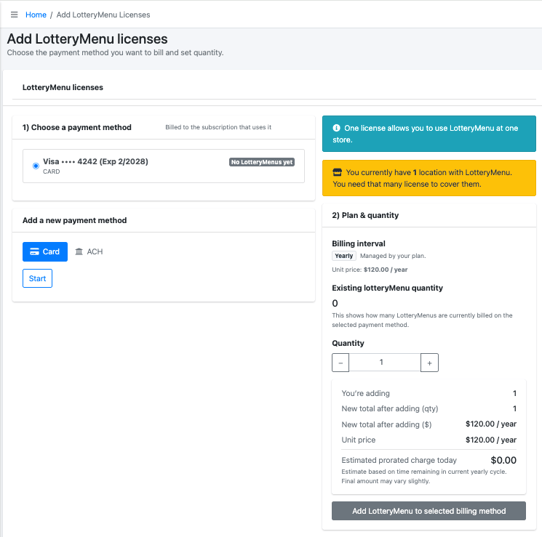
The Add LotteryMenu Licenses page will open.
-
Select an existing payment method, or add a new one.
-
Click the Add LotteryMenu to Selected Billing Method button.
Your purchase is now complete and you will see a confirmation banner.
